How to Use a Google Removal Request Form Legally?

Submitting a Google removal request form can feel overwhelming, especially if you are already dealing with privacy violations, reputational damage, or impersonation. The truth is that many people do not even know which form to use and how to complete it correctly. Sadly, Google does not make the process intuitive, which makes things even more complicated. There are different forms for legal issues, privacy, intimate images, copyright, outdated information, fake reviews, impersonation, etc.
So, if you are feeling lost, frustrated, or even a bit anxious right now, you are not alone. The good news is that Google does remove content when approached properly. You just need to understand which form is suitable for your situation and how to introduce your case clearly.
That is exactly what this guide is here for. NonDetected will walk you through every current Google removal form, explain what qualifies under each category, share real anonymized customer stories, and show you how to fill out the forms in a way that gives you the best possible chance of success. If you will still need some professional assistance, our experts are always there for you.
What Is Google`s Removal System About?
The first thing you should clearly understand is that this engine does not have a single remove button. In fact, there are a few Google Legal Removal Request Types, and each of these forms is crafted for a different sort of issue. Many people get rejected because they utilize the wrong form for the wrong issue.
In general, Google deletes content when it is associated with one of the following categories:
- Legal violations, such as defamation, impersonation, and fake criminal accusations.
- Sensitive personal information exposure, including home address, ID numbers, documents, etc.
- Private images or deepfakes posted without consent.
- Outdated or irrelevant personal details covered under GDPR/RTBF.
- Copyright violations.
- Fake business reviews or impersonation on Google Business Profile.
- Emergency harm, such as threats, minors, or violence.
Each of these categories comes with its own form, and if you complete the right one, your request will be successful. That is why you should take a closer look at these types.
Defamation and Legal Violations in Google Search
This is the Google content removal form you use when something is not only harmful, but also unlawful. It can be false allegations, fabricated criminal accusations, impersonation scams, malicious “scam reports,” or fake news designed to destroy your reputation. This is one of the most powerful types of removals Google offers, but it also requires the strongest evidence and clearest explanation.
Client Story: False Crypto Scam Article
One of our clients, a well-known entrepreneur in Dubai, found a blog accusing him of running a cryptocurrency scam. It was 100 percent fabricated by a competitor. The article ranked high on Google and caused real commercial loss.
At NonDetected, we built a detailed legal explanation based on UAE defamation standards, attached emails disproving the claims, and showed evidence of malicious intent. Google removed all five URLs globally within 3-4 weeks.
How to Fill Out This Form Without Stress
Once you click into Google’s Legal Removal Request form, you will see options asking what kind of issue you are going to report. Your task is to choose the one related to defamation or false allegations.
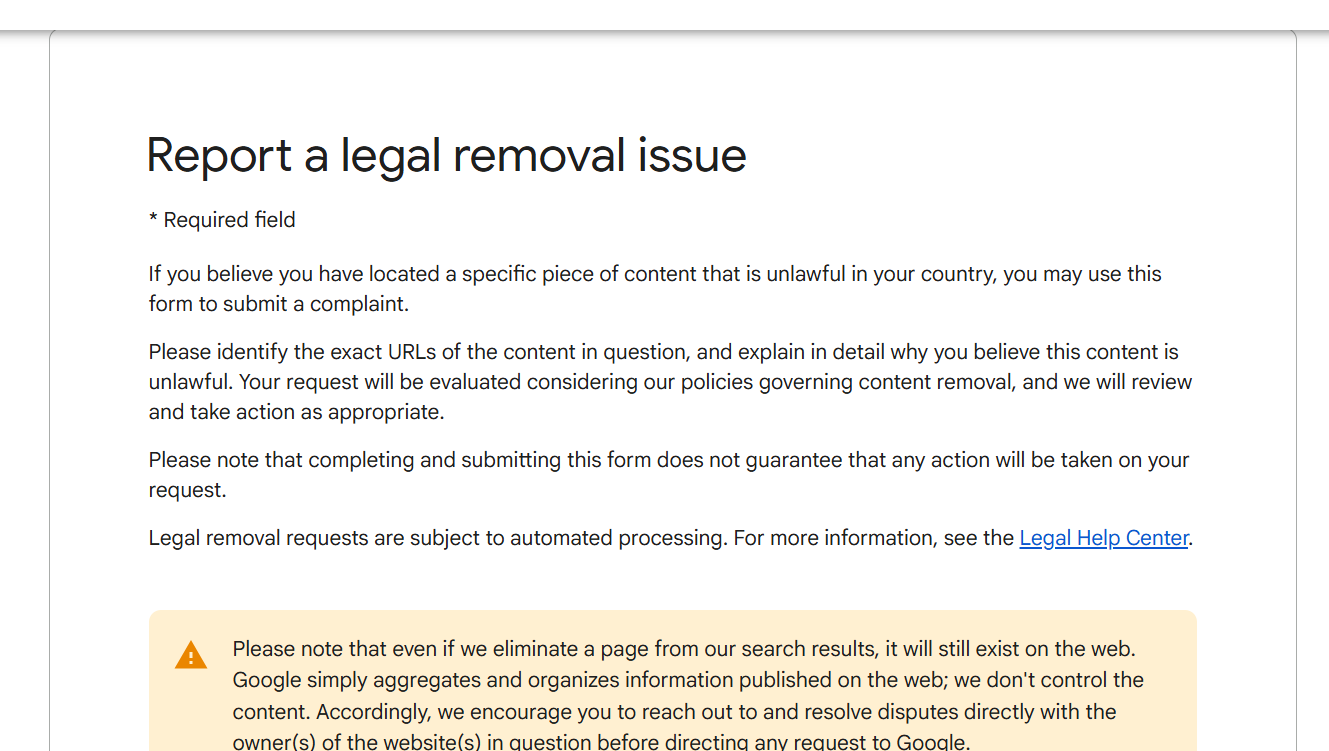
You will be required to:
- Enter your name and contact information.
- Choose your jurisdiction, and this part matters more than people realize.
- Paste the URLs containing the false content.
- Describe, calmly and factually, why the statements are false and harmful.
Google provides you with a text box that looks small, but there is no need to rush here. You should be specific, mention why it is false, how you know, and how it harms you. You should also introduce supporting materials, such as business registrations, screenshots, legal documents, emails disproving the claims, etc.
Personal Information Disclosed Without Consent
This Google Legal Removal Troubleshooter is ideal for sensitive details, including phone numbers, home addresses, ID or passport photos, medical documents, bank statements, etc. Google takes such cases seriously, so your request will definitely be satisfied.
Client Story: Passport & Banking Details Found in Search Results
A U.S. client of NonDetected found her passport photo and partial banking details posted on a forum run by scammers. The images even appeared in Google Images when searching her name. Our professionals gathered URL evidence, direct image links, screenshots from the forum, and proof of identity. Google removed everything from Search within 48 hours.
How to Fill Out This Form Properly. Step by Step
Google starts by asking you what kind of personal data was exposed. You need to pick the most accurate category and do the following:
- Add page URLs.
- Add image URLs.
- Provide several search terms that show the content.
- Explain briefly but clearly why this exposure is dangerous.
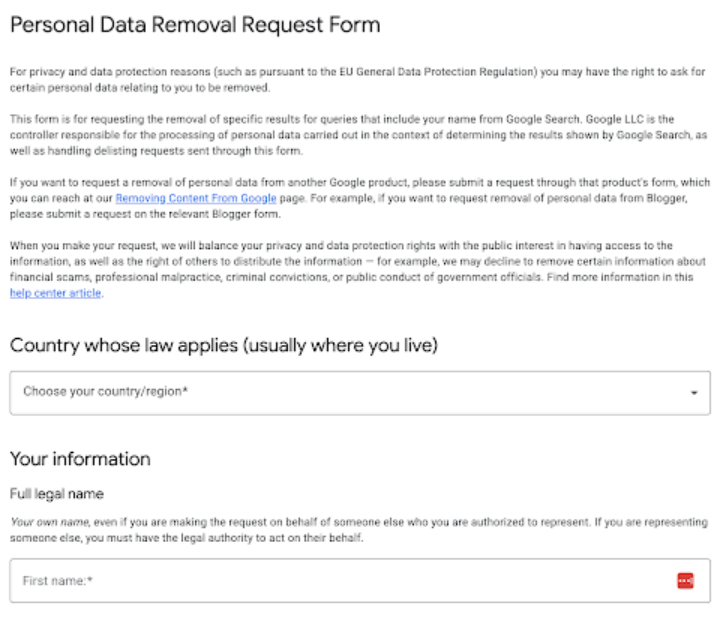
You should consider that Google also asks for a signature to make sure that the details are true. This form is extremely effective if it is submitted properly.
Non-Consensual Private Images
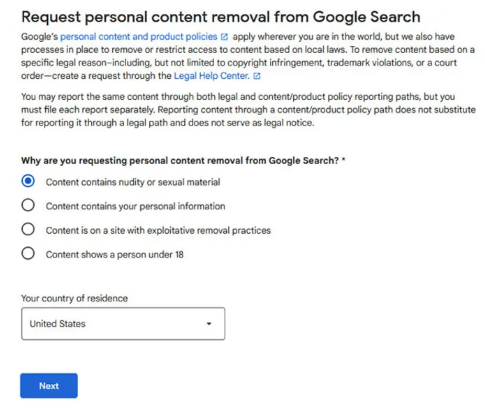
The great news is that this engine treats intimate content, both real and AI-generated, with urgency. This category includes stolen private photos, revenge porn, medical nudity, AI deepfakes, and any intimate imagery without your consent. If you are experiencing this issue, you should know that you are not alone, and Google legal removal request will be responded to quickly.
Client Story: Deepfake Images of an Influencer (Sexual Content)
A European influencer found AI-generated nude images of herself circulating on a gossip site. These were not just harmful, as they were fabricated from her social media photos. Our experts submitted URLs, screenshots, identity proof, and a short explanation. Google erased everything in a matter of a few hours.
How to Complete This Form and Request Removal
The form starts by asking if you consent to the imagery. Your answer must be negative. Then, you need to submit URLs of pages hosting the images, direct URLs to the image files, and a brief explanation. Here, you can write that the content is AI-generated and posted without your consent, for example. Google might require verification that the individual is you, and there is no need to worry because it is a normal thing. The great part is that this category is among the fastest to be approved.
Outdated or Irrelevant Information
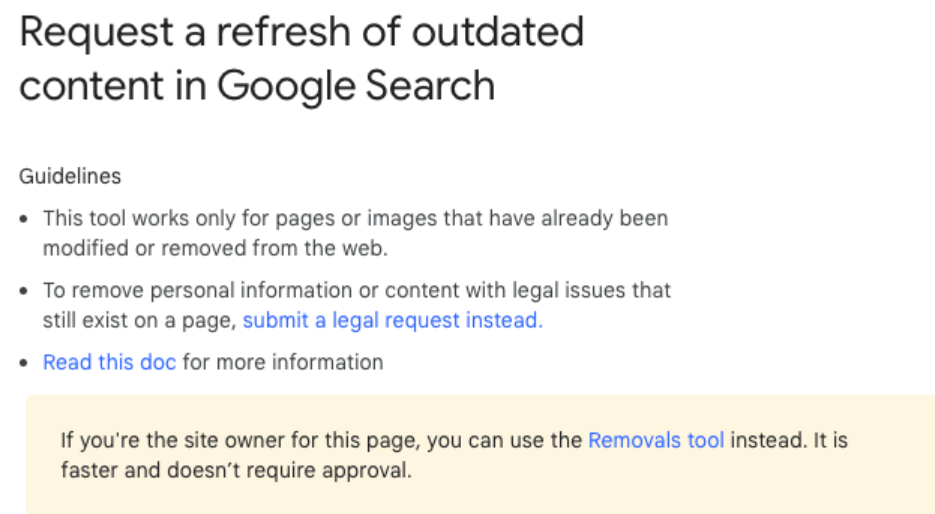
This is one of the most used Google content removal request forms because many people face this issue. You should bear in mind that you have the right to delete content that is outdated, irrelevant, or no longer representative of your life. This often applies to old legal issues, minor arrests, old financial articles, or decade-old news reports.
Client Story: Dismissed Criminal Case Still Ranking
A client in Spain once had a minor legal dispute that was dismissed more than 10 years ago. Unfortunately, several local news articles still ranked for his name. NonDetected submitted court documents, evidence of rehabilitation, and an explanation of why the information was no longer relevant. Google delisted eight URLs across the EU.
How to Report Content Smoothly
First of all, Google will ask your country because it wants to determine whether GDPR applies. You will also need to provide:
- Your ID for verification.
- URLs of outdated content.
- Search queries that show the pages.
- A calm and structured explanation of why the information no longer matters today.
GDPR removals can take a few weeks, but strong arguments tend to be successful.
DMCA Takedown for Copyright Infringement
This Google take down request form should be submitted if your content was copied by someone without your permission. Such material can be anything from images and videos to text and online courses. In fact, it can be any content that you own. DMCA is one of the fastest removal methods because it is legally binding.
Client Story: Entire Online Course Stolen
One of our customers sells a paid educational course. Someone copied every module and uploaded it to a blog, where it started ranking on Google.
He asked for our help, and the NonDetected professionals filed a DMCA request listing:
- URLs of the stolen content.
- The original source URLs.
- A declaration of ownership.
The solution was fast because Google erased all the stolen content within 12 hours.
How to Fill Out This Form
You will have to answer the following questions:
- What original work was copied?
- Where can Google view the original?
- Which URLs contain the stolen material?
- Do you swear this is a real copyright violation?
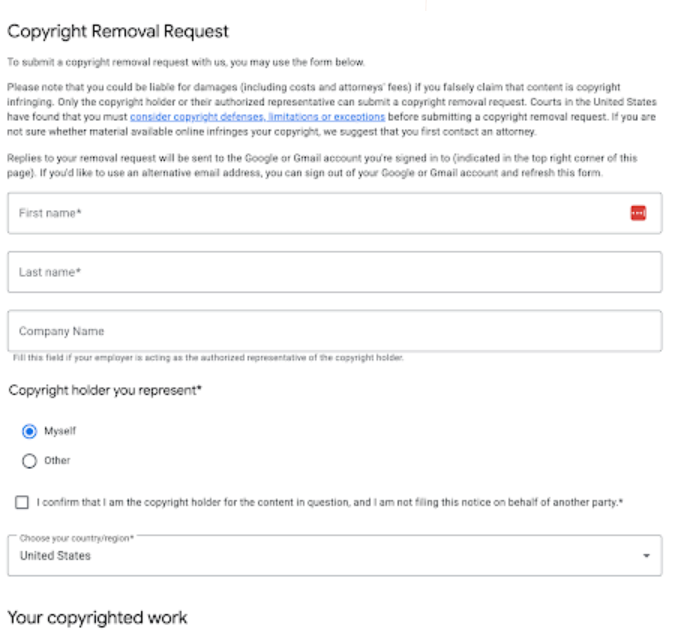
Your task is to be precise because copyright removals are powerful, and misuse can result in penalties.
Fake or Harmful Google Business Reviews
Fake reviews can destroy a business. That is why Google genuinely removes them when they clearly violate policies, especially when:
- Competitors post fake reviews.
- Angry ex-employees retaliate.
- Coordinated review attacks take place.
- Reviews include hate speech or threats.
Client Story: Competitor Attack on a Medical Clinic
A private clinic suddenly received five one-star reviews, and none of them matched real patient visits. Our experts gathered appointment logs that show no matching names and submitted a violation report. Google removed four of the reviews within 72 hours.
How to Report Reviews Effectively
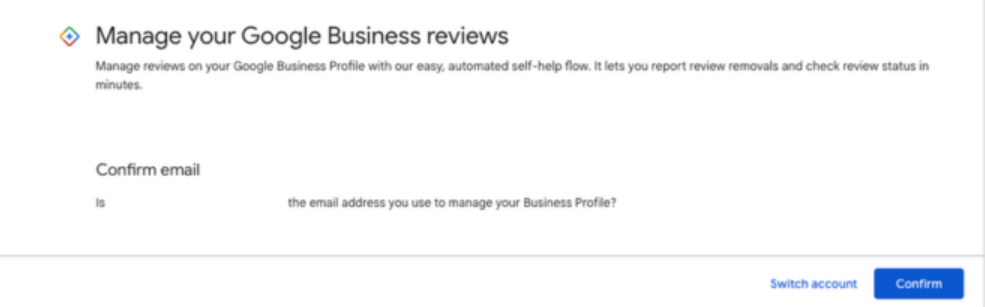
Inside your Google Business Profile, you need to find the review and click on the “Report review” option. Then you should pick the appropriate violation and introduce supporting evidence when prompted. If the form is supported by real proof, these removals are surprisingly effective.
Emergency Removals
This is another scenario when Google legal removal is effective and fast. If someone is threatening you, sharing your address with violent intent, or posting content involving minors, Google treats these situations as urgent.
Client Story: Doxxing Paired with a Threat
A customer found his home address posted on a hostile forum along with a message suggesting someone would “pay him a visit”. Our experts filed an emergency request with screenshots and a police report reference. As it was kind of a doxxing, Google removed the URLs within hours.
How to Complete This Form
Emergency forms can vary depending on the situation, but they tend to require URLs, screenshots, and a brief explanation. You should also include a police report if you have it. This way, you will significantly strengthen the urgency.
Can Google Reject Requests?
Another fact that you should realize is that Google can reject removal requests, even when the content is clearly harmful. It happens if you submit the wrong type of form, forget to add critical evidence, or write explanations that are too emotional instead of factual. Your removal request Google can also be rejected if there are incomplete URLs or missing direct image links. Another common issue is failing to show that the content appears under the search terms provided.
In general, if Google cannot clearly verify your claim, it will deny the request. The good news is that a well-prepared submission is almost always approved, so your task is to make sure that it is structured, factual, and fully supported by proof.
If Your Request Did Not Work, You Should Not Handle It Alone
Google removal forms can feel confusing, stressful, and time-consuming. This is especially true if you have not faced the issue before. The great part is that you do not have to deal with it on your own. Instead, you can turn to a reputable agency that can remove content legally from Google for you.
At NonDetected, we have a team of outstanding professionals who can do the following:
- Defamation removals.
- Copyright takedowns.
- GDPR/Right-to-be-Forgotten requests.
- Identity theft and doxxing removal.
- Deepfake and intimate image removals.
- Fake review takedowns.
- Emergency cases.
Some of our customers come to us after months of trying to solve the problem on their own. Others prefer to hand everything over to professionals from the beginning. There is no need to wait until things get worse. Instead, you should contact NonDetected, and we will make sure that your request is approved as quickly as possible.


